

Transform Your Video Projects with an AI Video Editor Free
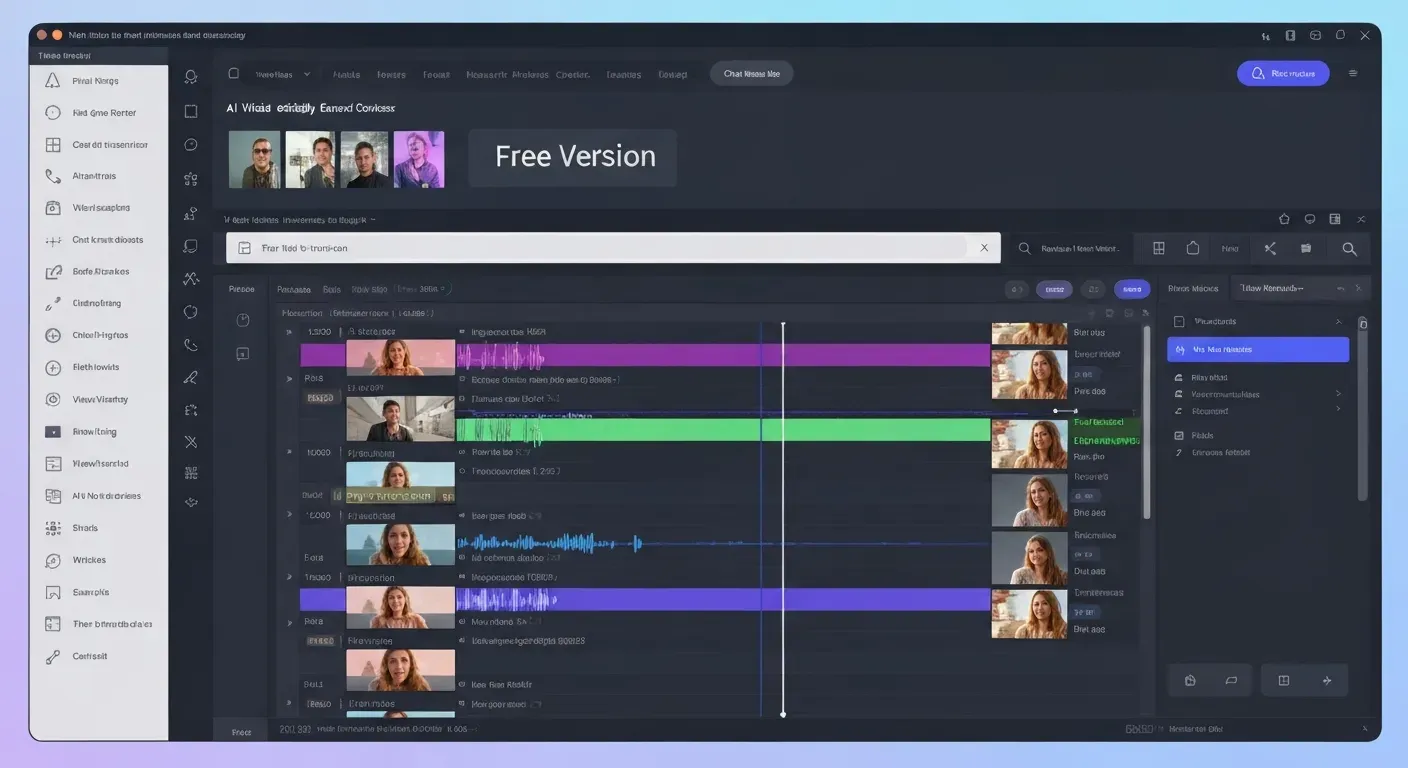 Tired of complex editing software and expensive subscriptions holding back your creative vision? Imagine producing polished, professional-looking videos without the steep learning curve or the hefty price tag.
The world of video creation is rapidly evolving, and you can now harness the power of an AI video editor free to bring your ideas to life. This guide is your gateway to unlocking these incredible tools.
We'll explore how these AI-powered editors can dramatically enhance your projects, streamline your workflow, and help you achieve stunning results, making high-quality video accessible to every creator.
Top AI Video Editors Free for Your Projects
Discover powerful, free AI video editing tools that streamline your content creation process. These platforms leverage artificial intelligence to automate complex tasks, making professional video production accessible to everyone.
AuraClip: Your Personal AI Video Editing Agent
AuraClip functions as your dedicated AI video editing agent. It transforms raw footage into polished videos through simple chat commands. This tool automatically removes silence, adds captions, and inserts background music and smart transitions instantly.
This AI video editor free solution enables multi-round revisions without requiring any editing skills. AuraClip stands out as an ultimate content creation tool, ideal for YouTubers, vloggers, and modern content creators prioritizing efficiency and professional output.
The platform's core strength lies in its conversational interface. Users can instruct the AI to perform specific edits, such as cutting out pauses or adding relevant B-roll footage. This removes the steep learning curve associated with traditional video editing software.
AuraClip's ability to generate captions automatically and sync background music enhances video engagement. Its intelligent transition application ensures a smooth flow between clips, making it a comprehensive, zero-skill solution for quick video assembly.
Understanding AI Video Editing
AI video editing leverages artificial intelligence to automate and simplify video post-production. Tools like AuraClip act as personal AI video editing agents, transforming raw footage into professional videos through simple chat commands. This technology aims to make video creation accessible to a wider audience.
What is an AI Video Editor?
An AI video editor uses artificial intelligence to streamline the video editing process. It automatically handles tasks that traditionally require manual effort and technical expertise. This allows creators to focus more on their content's message and less on the complexities of editing software.
Key Features of AI Video Editing Tools
Key features often include automated editing, intelligent scene detection, and AI-powered color correction. Tools can also provide automatic transcription and captioning, smart background music insertion, and AI-driven transitions. AuraClip, for instance, removes silence and adds captions instantly, alongside background music and smart transitions.
Benefits of Using AI Video Editors
The primary benefits are significant time savings and reduced learning curves for beginners. AI editors enhance creative possibilities and enable the production of higher-quality content more efficiently. Many offer substantial value, often at no cost, making them accessible tools for modern content creators.
Limitations of Free AI Video Editors
While free AI video editors offer substantial value, they may have limitations. These can include watermarks on exported videos, restricted export resolutions, or fewer advanced features compared to premium versions. Some may also impose usage caps on projects or editing time.
| Feature | Free AI Video Editor | AuraClip (Example) |
|---|---|---|
| Watermarks | Often present | Unknown |
| Export Resolution | May be limited | Unknown |
| Advanced Features | Fewer | Enhanced |
| Usage Caps | Possible | Unknown |
| AI Automation | Basic | Comprehensive |
| Chat Commands | Limited | Core Functionality |
How to Choose the Right Free AI Video Editor
Selecting an effective AI video editor free requires careful consideration of your specific needs. The best tool will align with your project's complexity, ease of use, and available features.
Assess Your Project Needs
Determine the complexity of your video projects. Are you creating simple social media clips that require quick edits and automatic captioning, or are you aiming for more elaborate content like documentaries? Understanding this helps pinpoint essential functionalities. For instance, tools like AuraClip excel at transforming raw footage into professional videos with simple chat commands, ideal for creators needing efficient content generation.
Evaluate Ease of Use
Prioritize editors with intuitive interfaces and straightforward workflows. If you have no prior editing experience, a steep learning curve can be discouraging. Look for AI-powered solutions that simplify the process. AuraClip, for example, acts as a personal AI video editing agent, enabling multi-round revisions without requiring editing skills, making it accessible for YouTubers and vloggers.
Check Feature Set vs. Cost (Free Tier)
Compare the features offered in the free version against your essential requirements. Essential tools like auto-captioning, automatic silence removal, and basic transitions are crucial for many creators. While many AI video editors offer free tiers, understand their limitations.
Consider Output Quality and Limitations
Review sample outputs and understand any restrictions imposed by the free version. This includes limitations on resolution, video duration, or the presence of watermarks. Knowing these constraints beforehand prevents project delays and ensures your final output meets your quality standards.
FAQ (Frequently Asked Questions)
Q1: Can free AI video editors truly replace professional software?
A1: Free AI editors streamline common tasks like captioning and silence removal. However, they may lack the advanced customization and granular control of professional paid software for complex projects.
Q2: What are the common limitations of free AI video editors?
A2: Limitations often include watermarks, restricted export resolutions, shorter video durations, and fewer advanced features. Some may also have usage caps or processing queues.
Q3: How does AI simplify video editing for beginners?
A3: AI automates tedious tasks such as removing silences, generating captions, and adding transitions. This significantly reduces the learning curve and manual effort required for editing.
Q4: Are there AI video editors that offer unlimited free usage?
A4: Truly unlimited free usage with professional features is rare. Most platforms offer generous free tiers with limitations, encouraging upgrades for advanced capabilities or unrestricted use.
Q5: What types of videos are best suited for AI editing tools?
A5: AI tools excel for social media content, vlogs, tutorials, and marketing videos. They are ideal for projects needing quick turnaround, automated captions, and engaging visuals without extensive manual work.
Conclusion
In conclusion, harnessing the power of an AI video editor free, like AuraClip, is a game-changer for elevating your video projects. These innovative tools democratize professional editing, significantly boosting both efficiency and final quality, making impressive video creation more accessible than ever.
Now is the time to actively explore the diverse features offered by AuraClip and other complimentary AI video editor free solutions. Experiment with their functionalities to discover the perfect synergy for your unique content creation aspirations and workflow.
Don't wait to unlock your video's full potential; start experimenting with AI-powered editing today! Transform your projects with an AI video editor free and witness the remarkable difference it can make.