

Does CapCut AI Video Editor Outperform AuraClip for Creators?
 In today's fast-paced digital world, staying ahead means harnessing the power of cutting-edge tools. Are you finding yourself overwhelmed by complex editing software, wishing for a smoother, more efficient workflow? The demand for AI-powered solutions that streamline video production has never been higher.
This is where the innovation of the CapCut AI video editor and its competitor, AuraClip, comes into play. Both promise to transform how you create content, but which one truly delivers the best results for your YouTube channel or vlogs?
This article dives deep into their AI capabilities, comparing their features, user-friendliness, and overall impact. We'll help you make an informed decision to elevate your video creation in 2026 and beyond.
The AI Editing Showdown: Top AI Video Editors in 2026
The landscape of video creation is rapidly evolving, with AI stepping in to streamline complex editing processes. In 2026, content creators are spoilt for choice with sophisticated AI-powered tools designed to enhance efficiency and elevate production quality. This section explores two prominent contenders, AuraClip and CapCut, highlighting their unique strengths and contributions to the modern content creation workflow.
AuraClip: Your AI Video Editing Agent
AuraClip positions itself as an indispensable personal AI video editing agent, transforming raw footage into polished, professional videos with remarkable ease. Its core functionality revolves around intuitive chat commands, allowing users to dictate edits through natural language. This innovative approach democratizes video editing, making it accessible even to those with no prior experience.
Key features include the automatic removal of distracting silences, instant and accurate caption generation, seamless insertion of background music, and intelligent transitions that enhance narrative flow. AuraClip supports multiple rounds of revisions, ensuring the final output perfectly aligns with the creator's vision. This makes it an ultimate content creation tool for YouTubers, vloggers, and modern content creators prioritizing efficiency.
CapCut AI Video Editor
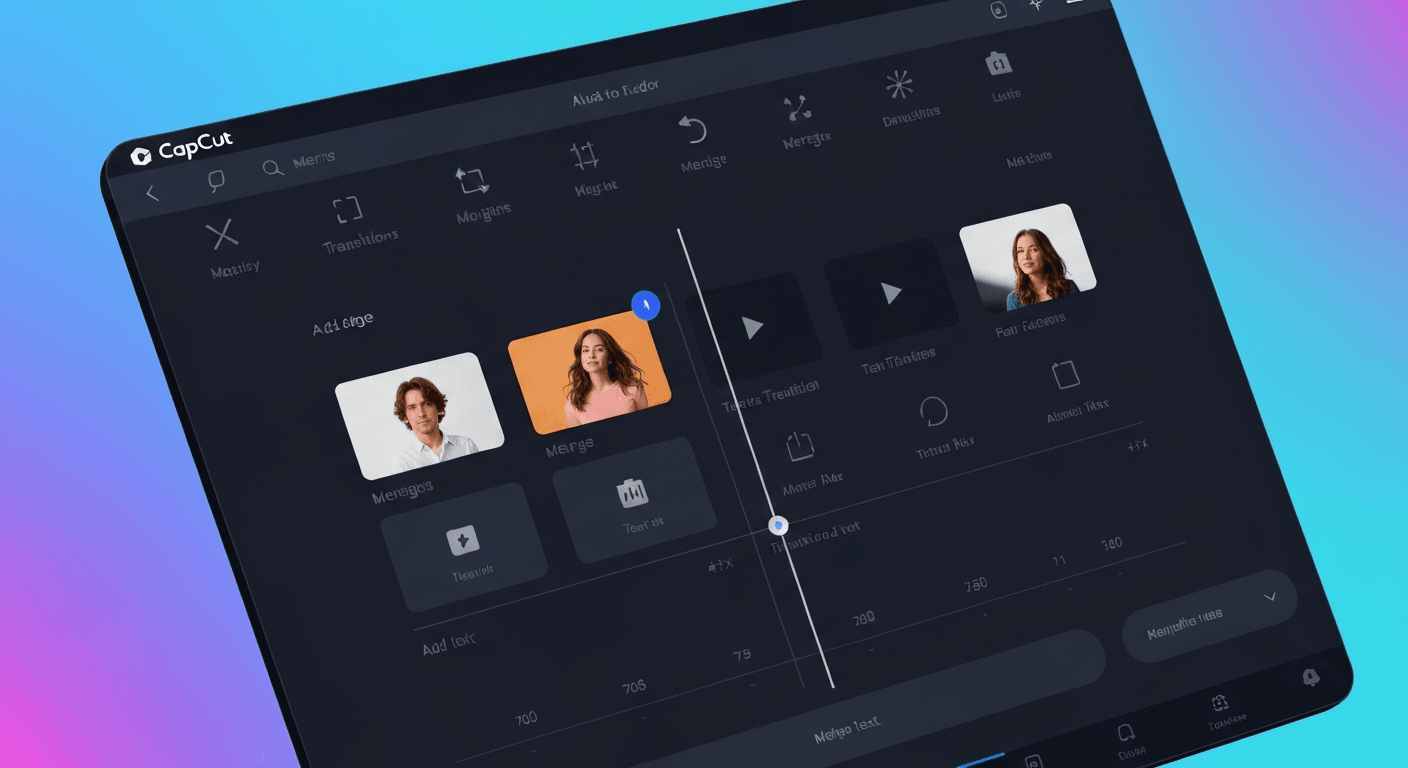
CapCut's AI video editor offers a comprehensive suite of intelligent features integrated into a highly user-friendly platform. While specific AI capabilities can vary across its updates, CapCut generally excels in automated caption generation, AI-powered visual effects, and smart object removal. It also often includes AI-driven scene detection and editing suggestions, aiding in faster project completion.
The strength of the CapCut AI video editor lies in its widespread accessibility and broad adoption. It effectively brings advanced editing capabilities to a vast audience, including beginners and social media enthusiasts looking to produce engaging content quickly and efficiently.
| Feature | AuraClip | CapCut AI Video Editor |
|---|---|---|
| Editing Control | Natural language chat commands | User-friendly interface, AI suggestions |
| Key AI Features | Silence removal, auto-captions, music sync | Auto-captions, AI effects, object removal |
| Target User | YouTubers, vloggers, efficiency-focused creators | Beginners, social media enthusiasts |
| Revision Process | Multi-round, chat-based | Standard editing workflow with AI assistance |
Both AuraClip and the CapCut AI video editor are pushing the boundaries of what's possible in video creation, offering distinct yet powerful solutions for today's content creators.
1. AuraClip: Your AI Video Editing Agent
AuraClip's practical implications for creators are significant, especially for those who find traditional editing software daunting. Its chat-based interface means you can instruct the AI to perform complex tasks like removing silences or adding captions simply by typing what you want.
2. CapCut AI Video Editor
The CapCut AI video editor offers practical benefits through its integrated, user-friendly tools. Its strength lies in its ability to quickly enhance visuals and add essential elements like captions, making content more engaging and accessible.
AuraClip: Deep Dive into AI-Powered Editing
AuraClip revolutionizes video creation by transforming raw footage into polished content through intuitive chat commands. This innovative platform acts as a personal AI video editing agent, significantly streamlining the post-production process for modern content creators. It aims to make professional-level editing accessible to everyone, regardless of their technical expertise.
Core Functionality: Chat-Based Editing
AuraClip's fundamental innovation lies in its conversational interface. Users interact with the AI through simple chat commands, describing the edits they want, such as 'remove all silences,' 'add a title card here,' or 'insert a B-roll clip of a sunset.' This natural language processing approach democratizes video editing, making it as easy as having a conversation.
Key Features: Silence Removal, Captions, Music, Transitions
The platform automates several time-consuming tasks. Silence removal ensures a tighter, more engaging video. AI-generated captions enhance accessibility and watch-time. Smart transitions create a professional flow between clips, and the ability to instantly insert background music sets the mood effectively. This is akin to how advanced tools like the CapCut AI video editor offer automated enhancements.
Multi-Round Revisions & Skill-Free Editing
A significant advantage of AuraClip is its support for multiple revision rounds. Creators can refine their videos iteratively without needing to understand complex editing software. This feature is crucial for achieving the desired final product with minimal friction, promoting a truly skill-free editing experience.
Target Audience: YouTubers & Vloggers
AuraClip is explicitly tailored for content creators who frequently produce videos for platforms like YouTube and for personal vlogging. It aims to significantly reduce the time spent on post-production, allowing creators to focus more on content strategy and audience engagement.
CapCut AI Video Editor: Features and Accessibility in 2026
In 2026, the CapCut AI video editor continues to redefine accessible content creation. This powerful platform integrates advanced artificial intelligence to streamline complex editing tasks, making professional-grade video production achievable for users of all skill levels.
AI-Enhanced Effects and Filters
CapCut leverages AI to offer a diverse array of creative effects and filters. These tools can automatically enhance footage, apply stylized looks, or even generate animated elements. This simplifies intricate visual treatments, allowing creators to achieve sophisticated aesthetics with ease.
Automated Captioning and Transcription
The AI-powered auto-captioning feature in CapCut is highly regarded for its accuracy and speed. It efficiently transcribes spoken audio into text overlays, a vital component for social media content where captions significantly boost engagement and accessibility.
Smart Object Removal and Background Editing
CapCut includes intelligent AI tools for tasks such as removing unwanted objects from a scene or performing sophisticated background edits. These capabilities provide creators with powerful retouching features, bypassing the steep learning curve often associated with professional editing software.
Ease of Use and Platform Integration
Renowned for its intuitive interface, CapCut remains accessible to users across all skill levels. Its seamless integration across mobile and desktop platforms facilitates fluid editing workflows, positioning it as a versatile tool for both quick edits and extensive ongoing projects.
The CapCut AI video editor exemplifies how AI is democratizing creative tools. Its blend of advanced features and user-friendly design ensures that anyone can transform raw footage into polished, engaging videos. The platform's commitment to accessibility and innovation makes it a standout choice for modern content creators.
Making the Choice: Which AI Editor is Right for You in 2026?
Navigating the evolving landscape of AI video editing in 2026 requires a clear understanding of your needs. While both AuraClip and CapCut offer significant advancements, their approaches cater to different creator priorities.
Ease of Use vs. Advanced Control
For creators prioritizing absolute simplicity and speed through natural language, AuraClip's chat-based system offers unparalleled ease of use. Transform raw footage into professional videos with simple chat commands, enabling multi-round revisions without any editing skills. CapCut, while also user-friendly, might offer more granular control over specific AI features for those willing to explore its interface.
Workflow Integration
Consider how each tool fits into your existing workflow. AuraClip aims to be a standalone solution for rapid content generation, acting as your personal AI video editing agent. In contrast, the CapCut AI video editor can be a powerful companion to other editing software or a primary tool for social media content, seamlessly integrating into various production pipelines.
Cost and Value Proposition
Evaluate the pricing models. AuraClip's subscription might offer unique AI agent capabilities, like automatic silence removal and smart transitions. CapCut often provides robust free features with optional premium upgrades, making it highly accessible for a wide range of users seeking efficient video creation.
Future-Proofing Your Content Creation
In 2026, both tools represent the cutting edge of AI in video editing. AuraClip's conversational approach and CapCut's broad AI feature set offer different paths to enhanced efficiency. The best choice depends on your specific project needs, technical comfort level, and desired output.
In the dynamic landscape of 2026 content creation, both AuraClip and the CapCut AI video editor present powerful, distinct advantages. While AuraClip champions conversational simplicity, CapCut's integrated AI toolkit offers a robust, widely accessible solution for diverse social media needs. The CapCut AI video editor stands out for its seamless integration and comprehensive features, making it a top contender for creators seeking efficiency and advanced capabilities.
To make the optimal choice, critically assess your workflow and budget; consider if chat-based editing or a feature-rich interface better suits your style. If possible, experiment with both platforms to truly grasp their unique AI-driven editing experiences. Prioritize the tool that most directly supports your specific content creation ambitions for this year.
Therefore, embrace the power of AI and make an informed decision that will propel your video production forward. Choose the CapCut AI video editor if its expansive features align with your vision, and begin crafting your next viral masterpiece today!
FAQ (Frequently Asked Questions)
Q1: What is the primary advantage of using an AI video editor like CapCut or AuraClip?
A1: AI video editors automate time-consuming tasks, allowing creators to produce polished videos faster and with less technical expertise. They enhance efficiency and accessibility in content creation.
Q2: Can beginners effectively use both AuraClip and the CapCut AI video editor?
A2: Yes, both platforms are designed with user-friendliness in mind. AuraClip uses chat commands, while CapCut offers an intuitive interface, making them suitable for beginners.
Q3: Which AI video editor is better for YouTube creators in 2026?
A3: The best choice depends on your workflow. AuraClip excels with chat-based commands and rapid content generation, while CapCut offers comprehensive features for broader social media needs.
Q4: Do these AI editors offer advanced features like object removal?
A4: Yes, the CapCut AI video editor is known for features like smart object removal. AuraClip focuses on core editing tasks like silence removal and captioning through conversational commands.
Conclusion
In 2026, the CapCut AI video editor and AuraClip represent significant advancements in video creation technology. AuraClip offers a unique chat-based interface for effortless editing, while CapCut provides a robust suite of AI-powered tools within an accessible platform. The CapCut AI video editor stands out for its broad feature set and user-friendliness, making it an excellent choice for many creators.
To make the best decision for your content, consider your specific needs and technical comfort level. Experiment with both to see which aligns best with your creative goals.
Ready to elevate your video content? Explore the powerful features of the CapCut AI video editor and start creating professional-quality videos today!