

5 AI-Powered CapCut Features Revolutionizing Your Video Workflow
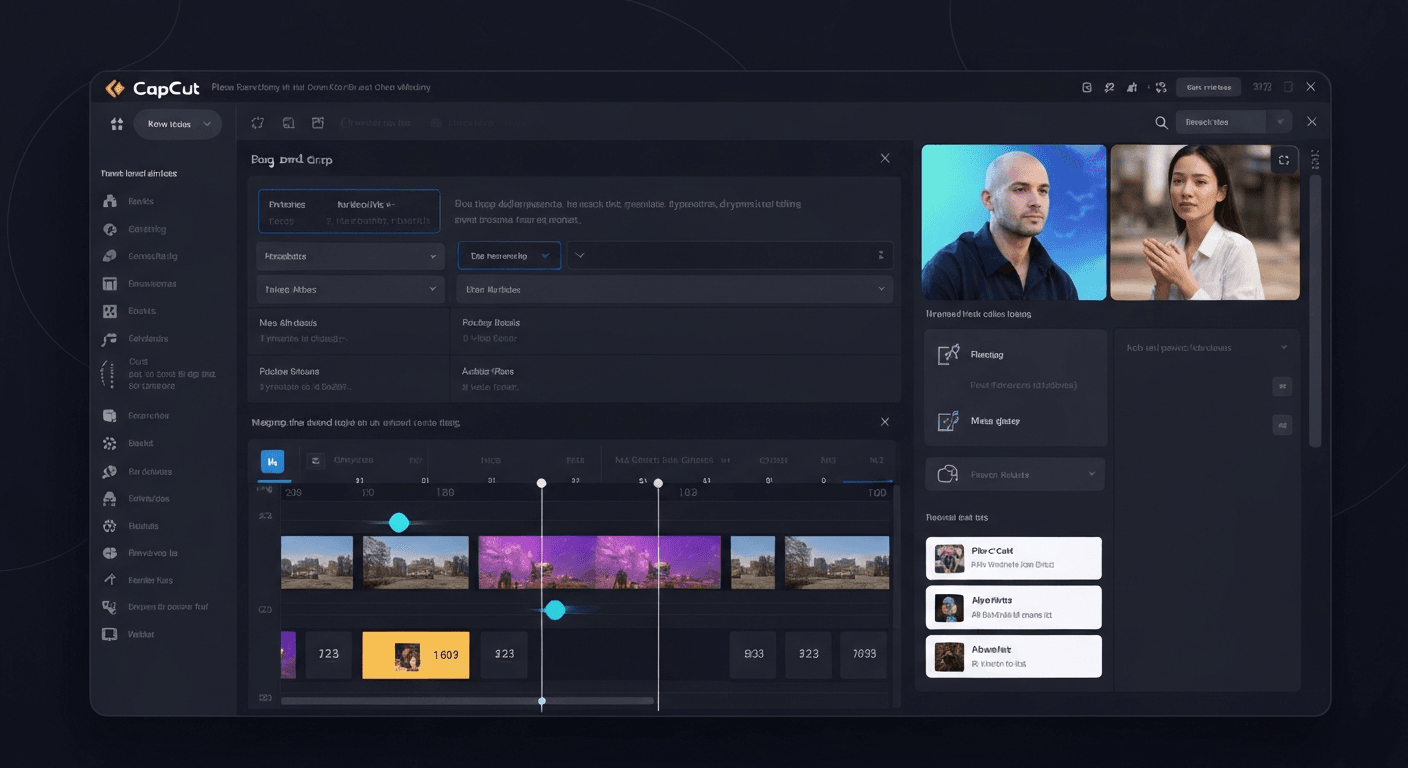 In today's visually-driven world, crafting captivating videos is no longer a niche skill but a necessity for standing out. Yet, the path from raw footage to polished masterpiece can feel daunting, demanding technical expertise and endless hours at the editing desk. What if you could unlock professional-level video creation with unprecedented ease? This is where the power of the CapCut AI video editor shines, fundamentally reshaping how creators like you bring their stories to life. Forget complex timelines and steep learning curves; CapCut leverages cutting-edge artificial intelligence to streamline your entire workflow. This article will unveil five transformative AI-powered features within CapCut that are not only accelerating your editing process but are empowering you to achieve stunning results, making high-quality video production more accessible than ever before. Prepare to revolutionize your approach to video content.
Introduction: The Dawn of AI-Powered Video Editing with CapCut
The digital landscape is awash with video content, fueling an ever-increasing demand for professional-quality productions. Yet, traditional video editing remains a bottleneck for many, often proving time-consuming, skill-intensive, and frustrating. Enter CapCut, a pioneering platform that harnesses the power of artificial intelligence to democratize video editing. This introduction previews five transformative AI-powered features that promise to revolutionize video workflows for creators of all levels, making sophisticated editing accessible to everyone.
CapCut's integration of advanced AI signifies a pivotal moment for content creators. The platform's approach, exemplified by features similar to AuraClip's conversational editing, aims to simplify complex tasks. This allows users to transform raw footage into polished videos through intuitive commands, much like a personal AI video editing agent.
The promise of the CapCut AI video editor lies in its ability to automate tedious processes. Imagine instantly removing silences, generating accurate captions, and seamlessly adding background music and smart transitions. This AI-driven efficiency removes significant barriers to entry, empowering YouTubers, vloggers, and casual creators alike.
This section will delve into five specific AI-powered features within CapCut. These innovations are set to redefine how videos are produced, making professional-level editing achievable without extensive technical expertise, thus fostering a new era of creative expression.
1. Intelligent Auto-Captioning: Making Your Videos Accessible and Engaging
In today's fast-paced digital landscape, video consumption often happens without sound. Statistics indicate a significant portion of viewers watch videos silently, making captions not just a convenience, but a necessity. This is where intelligent auto-captioning, a core feature of advanced tools like the CapCut AI video editor, revolutionizes content creation.
The Importance of Captions in Modern Video Consumption
The silent viewing trend highlights a critical need for accessibility and comprehension. Without captions, a large segment of your audience misses crucial information and engagement opportunities. This directly impacts how effectively your message is received and retained by viewers across various platforms.
How CapCut's AI Handles Transcription and Synchronization
The CapCut AI video editor excels at transforming spoken audio into accurate text. Its sophisticated AI engine meticulously transcribes dialogue, ensuring a high degree of precision. Furthermore, it automatically synchronizes these captions with the video timeline, creating a seamless viewing experience without manual effort.
Customization Options for Professional Branding
Beyond automatic generation, CapCut offers extensive customization. You can easily edit the transcribed text, adjust fonts, select colors, and fine-tune caption positioning. This empowers creators to maintain brand consistency and enhance the visual appeal of their videos, making them look polished and professional.
Beyond Accessibility: Enhancing Engagement and SEO
Captions significantly boost video watch time and viewer understanding. They also play a vital role in search engine optimization (SEO), making your content discoverable. Similar to how AuraClip offers automatic caption generation as a key feature, CapCut's AI ensures your videos reach a wider audience by being more accessible and searchable.
2. AI-Powered Silence Removal: Streamlining Your Footage
Dealing with raw video footage often means confronting lengthy pauses and filler words that can disrupt viewer engagement. Fortunately, modern editing tools are leveraging AI to tackle this common challenge efficiently.
The Pain of Editing Out Pauses and Dead Air
Unwanted silences, hesitations, and filler words like "um" and "uh" are natural in spoken content but can significantly detract from the professional polish of a video. Manually scrubbing through hours of footage to identify and cut these segments is a tedious and time-consuming process, especially for content creators producing lengthy recordings.
CapCut's AI: Detecting and Eliminating Unwanted Silence
The CapCut AI video editor offers a powerful solution with its intelligent silence detection feature. This AI algorithm is designed to automatically scan your footage, pinpointing segments of inactivity or silence. It then seamlessly removes these sections, creating a more dynamic and engaging viewing experience without requiring manual intervention from the editor.
Maintaining Natural Pacing and Flow
While AI excels at removing silence, the goal isn't to create a jarring, unnaturally fast-paced video. CapCut's AI is calibrated to maintain the natural rhythm and flow of speech. It ensures that the resulting video feels coherent and engaging, preserving the presenter's original cadence while eliminating dead air that could lead to viewer drop-off.
Saving Precious Editing Time
The most significant benefit of AI-powered silence removal is the drastic reduction in editing time. For YouTubers, vloggers, and other content creators who rely on consistent output, tools like the CapCut AI video editor free up valuable hours. This allows creators to focus more on content strategy, audience engagement, and other creative aspects of their work, rather than getting bogged down in repetitive manual edits. This efficiency directly mirrors the promise of AuraClip, which automates such tasks through simple chat commands, transforming raw footage into polished videos with minimal effort.
3. Smart Background Music & Sound Effects Integration
Integrating the right audio can transform a video from static to captivating. Background music and sound effects are powerful tools for setting the tone and enhancing the viewer's emotional connection. This is where the intelligent capabilities of tools like the CapCut AI video editor truly shine, simplifying complex audio tasks.
The Impact of Music and Sound on Video Emotion
Background music is fundamental in establishing a video's mood. An upbeat track can inject energy, while a somber melody can evoke reflection. Sound effects add realism and depth, guiding the viewer's attention and amplifying key moments. Effectively chosen audio assets ensure a more immersive and memorable viewing experience, making your content resonate deeply.
CapCut's AI for Music Selection and Synchronization
The CapCut AI video editor leverages artificial intelligence to streamline audio integration. Its AI can analyze your video content or desired mood to suggest suitable music tracks. Furthermore, it offers automatic beat matching, synchronizing the music's rhythm with your video edits for a polished, professional look, akin to AuraClip's instant background music insertion.
Automatic Beat Matching and Volume Adjustment
Beyond selection, CapCut's AI excels at synchronization. It intelligently matches music beats to your video cuts, creating a dynamic flow. Crucially, it also performs intelligent volume adjustments. This ensures that background music never overpowers dialogue, maintaining clarity and intelligibility for spoken content, a vital aspect for viewer comprehension.
Exploring Royalty-Free Libraries and Custom Uploads
Finding the perfect audio is made convenient through CapCut's integration with extensive royalty-free music libraries. This provides quick access to a vast array of tracks. For those with specific needs, the platform also supports custom audio uploads, offering flexibility. This ease of access to suitable audio assets significantly enhances the efficiency of the CapCut AI video editor.
4. AI-Assisted Transitions and Effects: Adding Polish Effortlessly
The CapCut AI video editor revolutionizes content creation by simplifying complex editing tasks. This section explores how AI enhances visual storytelling, making professional-grade polish accessible to everyone. Transitions and effects, once daunting, are now intuitive.
The Art of Transitions: Guiding the Viewer's Eye
Transitions are crucial for a seamless viewing experience, creating flow between shots and maintaining audience engagement. They act as visual cues, guiding the viewer's eye and enhancing the narrative's rhythm. Without them, edits can feel abrupt and jarring.
CapCut's AI for Smart Transition Suggestions
CapCut's AI analyzes your footage, understanding scene context and pacing. It then intelligently suggests appropriate transitions, eliminating the guesswork. This feature empowers users, especially those new to video editing, to achieve professional-looking cuts effortlessly.
Automated Application of Effects for Visual Appeal
Beyond transitions, AI automates the application of various visual effects. This ensures visual consistency and enhances the storytelling elements within your video. The CapCut AI video editor streamlines the process, allowing for more creative focus.
Creating Dynamic Montages and Dynamic Sequences
These AI-powered features are instrumental in creating engaging montages and dynamic sequences, akin to AI剪辑蒙太奇. Users can quickly assemble compelling visual narratives, transforming raw footage into polished content without extensive editing skills.
5. Conversational Editing and Multi-Round Revisions with AI
The future of video editing is becoming increasingly intuitive, moving beyond complex timelines to simple, natural language commands. This shift democratizes content creation, empowering individuals without extensive technical skills to produce professional-grade videos.
The Future of Video Editing: Natural Language Commands
Imagine telling your video editor what to do, just like you would a human assistant. This is the promise of conversational editing. Instead of manually adjusting clips, adding effects, or removing unwanted segments, users can simply type or speak their requests.
CapCut's AI: Understanding Your Intent
Tools like the CapCut AI video editor are at the forefront of this revolution. CapCut's AI is designed to interpret user intent, translating conversational prompts into specific editing actions. This means users can ask for cuts, transitions, or even the insertion of specific B-roll footage without needing to learn intricate software commands.
Iterative Improvement: The Power of Multi-Round Revisions
AuraClip exemplifies this evolution, acting as a personal AI video editing agent. Its core value proposition lies in enabling multi-round revisions without requiring any editing skills. This iterative process is crucial for refining content, allowing creators to fine-tune their videos through a series of chat commands until they achieve their desired outcome.
Empowering Non-Editors and Accelerating Workflows
This conversational approach significantly empowers YouTubers, vloggers, and modern content creators who may lack traditional editing expertise. By leveraging AI, the barrier to entry for professional video production is lowered, accelerating workflows and allowing creators to focus on their content's message rather than the technicalities of editing.
Beyond the Features: CapCut's AI and the Future of Content Creation
The CapCut AI video editor is more than just a collection of tools; it’s a gateway to democratizing professional video creation. Its intelligent features are designed to streamline workflows, making advanced editing accessible to everyone. This section explores how CapCut's AI, user experience, and security considerations position it for the future of content creation, alongside its competitive standing and practical applications.
User Experience and Accessibility: A Key Focus
CapCut's intuitive interface and user-friendly design are paramount. For beginners, the CapCut AI video editor significantly lowers the barrier to entry, allowing them to create polished videos without extensive technical knowledge. This focus on ease of use ensures that aspiring YouTubers, vloggers, and social media creators can quickly bring their visions to life.
Security and Privacy Considerations in AI Editing
As AI plays a larger role, data security and privacy are critical. Users of any AI editing tool, including the CapCut AI video editor, should be aware of how their data is handled. CapCut's commitment to user privacy is an important factor for creators entrusting their content and personal information to the platform.
The Competitive Landscape: CapCut vs. Other AI Tools
The AI video editing landscape is rapidly evolving, with tools like AuraClip showcasing conversational editing. While CapCut excels in its integrated approach, other AI solutions offer specialized functions. This dynamic environment pushes all platforms, including the CapCut AI video editor, to innovate continuously, as seen in UX roundups highlighting advancements in AI-driven content creation.
Practical Applications for Different Creator Niches
For YouTubers and vloggers, CapCut's AI features, such as automatic captioning and smart transitions, dramatically reduce editing time, allowing for higher output quality and frequency. The potential for complementary technologies like AI cloning voices (AI克隆声音) further enhances creative possibilities for diverse content creators across social media platforms.
FAQ (Frequently Asked Questions)
Q1: Is CapCut truly a free AI video editor, or are there hidden costs for its AI features?
A1: CapCut offers a robust free version that includes many of its core AI-powered features, such as auto-captioning and basic AI effects. While there might be advanced features or premium assets available through subscriptions, the fundamental AI tools that revolutionize video editing are largely accessible without charge, making it a powerful free AI video editor for many users.
Q2: How does CapCut's AI compare to other AI video editing tools like AuraClip?
A2: CapCut offers a comprehensive suite of AI features integrated into a user-friendly platform, making it an all-in-one solution. Tools like AuraClip might specialize more in conversational editing or specific AI functionalities. CapCut's strength lies in its accessibility and the breadth of its AI-driven tools for everyday editing needs, while AuraClip might excel in more advanced, text-command-driven workflows.
Q3: Can CapCut's AI features help improve my video's SEO?
A3: Yes, absolutely. CapCut's intelligent auto-captioning feature is a significant SEO booster. By generating accurate and synchronized captions, your videos become more discoverable by search engines, and they improve watch time and accessibility, both of which are positive SEO signals.
Q4: What kind of technical expertise is required to use CapCut's AI features effectively?
A4: One of the primary benefits of CapCut's AI features is that they are designed for ease of use. You don't need to be a seasoned video editing professional. The AI automates complex tasks like transcription, silence removal, and transition suggestions, allowing users of all skill levels to create polished videos with minimal technical knowledge.
Q5: Are there any privacy concerns when using AI features in CapCut?
A5: Like any platform that utilizes AI and handles user data, it's always wise to review CapCut's privacy policy. Generally, reputable platforms are transparent about their data handling practices. CapCut aims to provide a secure environment for creators, but understanding their policies regarding data usage for AI processing is recommended for all users.
Conclusion
In conclusion, CapCut's transformative integration of AI is not merely an upgrade; it's a paradigm shift, fundamentally redefining what's achievable in video creation. The intelligent auto-captioning, effortless silence removal, intuitive music suggestions, and seamless transitions are powerful tools that empower creators to produce captivating content with unprecedented speed and polish. The groundbreaking conversational editing feature further democratizes the filmmaking process, opening the doors to professional-quality videos for everyone, regardless of their technical expertise.
The CapCut AI video editor stands as a testament to innovation, proving that sophisticated editing can be both accessible and remarkably efficient. For aspiring YouTubers, seasoned vloggers, and content creators across the spectrum, embracing these AI-powered features is no longer just an advantage – it's a strategic imperative. Don't let complex editing processes hold you back from sharing your vision. Dive in today and experience the future of video editing. Download CapCut now and unlock your creative potential, transforming your ideas into stunning visual stories faster and more intuitively than you ever thought possible. The revolution is here; be a part of it.